SEO
How Long Does SEO Take to Work?
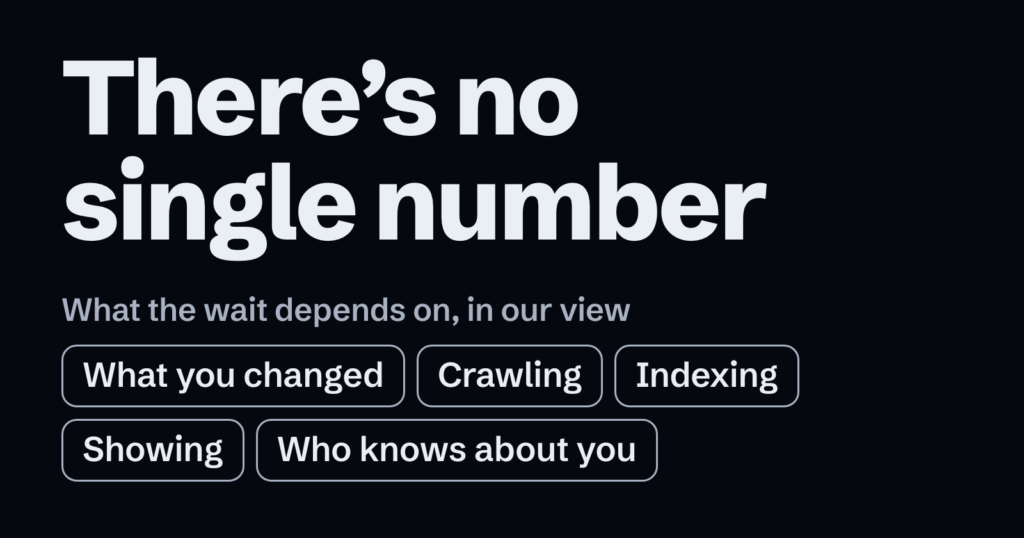
There’s no single number. Google says some changes might show up in a few hours, and others could take several months. It also says you’ll likely want to allow a few weeks, in general, before you decide whether your work helped.
Those times are about a change on your site, not about more calls or sales, and we can’t give you a date for those. Here’s what we’d do, in this order:
- Check that Google can find your site.
- Set up a way to measure, and note where you’re starting from.
- Improve your most important page.
- Tell people about it.
- Wait a few weeks, as Google suggests, then compare.
That order is our view, not Google’s, and it isn’t a ranking of what works best. Measuring comes before improving so you’ve got a before to compare with. Steps that need Google’s Search Console tool say so, and you can skip them.
Nothing here is guaranteed. Google doesn’t promise to crawl, index or show any page, and it says it takes no payment to rank a site higher. Labels, limits and Google says lines come from Google’s pages; the selection, the order and anything marked our view are ours.
What does the wait depend on?
Our view: it comes down to five things.
- What you changed. Google says some changes can show in a few days. A whole site is slower: after a traffic drop, Google’s systems could need several months to confirm the content is now helpful long term.
- Crawling. This is Google’s software visiting a page and downloading what’s on it. Google’s page on recrawling says this can take somewhere between a few days and a few weeks.
- Indexing. This is Google working out what’s on the page and storing it in a large database called the index. After you ask it to index a page, one help page says a day or so is typical. It also says a week or two is possible, and that some cases can run much longer.
- Showing. This is Google choosing results when someone searches. A page in the index may still not appear, because results vary with things like a person’s history and location.
- Who knows about you. Google says it mostly finds pages by following links from pages it already knows. Links from other sites build up naturally over time, it adds, and word of mouth can be slow.
Each of these figures covers a different case, so don’t add them up.
Can Google find your site?
- Check your site is in Google. In Google’s search box, type site: and then your web address, with no space between them. If your pages come up, you’re in the index. Watch for: if nothing comes up, do the next three steps, then carry on anyway. Google says a brand-new site can need a few weeks to get noticed.
- Open an incognito window and go to your site. That’s a private window in your browser. Google says a login page, or a site that blocks Google, is a common cause of crawling errors. Watch for: if you can’t get in, our view is to ask whoever built or hosts your site, then carry on.
- Check your pages on a phone. Google says most searches now happen on mobile devices, so pages should open fast and fit any screen.
- Put what you do into words. Google says to use text on your site, not only images or video.
How do you set up a way to measure?
Search Console is Google’s tool for seeing how your site does in search. Google says a small business short on time, or a site on an automated hosting platform, might not need it. If that’s you, skip the first step. You can come back to it whenever you like.
- Set up Search Console, if you want it. Our view: the quickest way in is to search Google for Search Console. Sign in with a Google account and add a new property, which is what it calls your site. If a website builder hosts your site, try its help pages first, because some methods might not work there. Otherwise, pick from the verification methods it lists and follow the instructions. This proves you own the site. Still stuck? Skip this step.
- Write down where you’re starting from. Our view: note your calls or enquiries for the past three months, and start a dated list of changes, beginning with anything you fixed above. If you use Search Console, Google says data takes a few days to start building up, so give it that long. Then open the Performance report, which shows the past three months by default. Write down Clicks, the times people reached your site from Google’s results, and Impressions, the times your site appeared in them. Watch for: if it covers less, note the dates it does cover. Can’t find a report? Google’s page on debugging traffic drops links to this one, and to the two named under What if nothing has moved?
What should you work on first?
Our view: start with the page your customers need most, and keep these steps to that page. You won’t know which step helped. With Search Console, you can check if the page did better. Without it, your calls or enquiries show the whole business only.
- Make the page useful. Google says useful content will likely count for more in results than anything else in its starter guide. It lists what such content generally shares: easy reading, original writing, current details, and help people can rely on. Watch for: don’t copy from other sites.
- Use your customers’ words. Think about what someone might type to find this page. Google says writing with that in mind could help how your site performs. Watch for: excessive repetition is against Google’s spam policies.
- Write a clear page title. Give the page its own title that’s short, clear and true to what’s on it. Google says good titles let you influence the headline shown in results.
- Ask Google to look at the page, if you use Search Console. Type the page’s full address into the inspection bar along the top of Search Console. Choose Test live URL, then Request indexing. Watch for: a request doesn’t guarantee indexing, there’s a daily limit, and asking twice won’t speed it up. Without Search Console, skip this: Google says publishing is usually all it takes.
- Tell people about it. Try social media, community groups, ads or word of mouth. Google says promoting new content effectively leads interested people and search engines to find it sooner. Watch for: ads with Google have no effect on your search presence. Paying other sites for links could count as a spam-policy violation, and overdoing promotion can harm your site.
- Consider a Business Profile, if you serve local customers. Google suggests claiming one. Once you have it, see how to rank higher on Google Maps.
How do you check whether it’s working?
Give your page a few weeks first, then work through these in order.
- Compare your calls or enquiries. Our view: turn your note into a weekly figure, then work out the same for the weeks since your change.
- Compare the site’s Clicks and Impressions, if you use Search Console. In the Performance report, use the Date filter to show the weeks since your change. Our view: turn those totals into weekly figures too, and compare them with your note.
- Compare your page, if you use Search Console. Choose the Date filter, then the Compare tab, then the option for the last 3 months against the previous period. Open the Pages tab and find your page. Our view: Google describes this for looking into a drop, and it works for a rise too. Watch for: a recent change fills only part of those months, so read it beside your dated list. If there’s no earlier period, step 2 is all you can compare.
- Don’t judge your ranking by searching for yourself. Results change with the place, the device and what you’ve searched lately. Google says not to focus too much on your position anyway, and calls impressions and clicks ultimately the measure of success.
If something has moved, start on the next page. If nothing has, read on.
What if nothing has moved?
Work down these in order. Skip any that needs Search Console if you don’t use it.
- Look for a blocker, if you use Search Console. Open the Manual Actions and Security Issues reports. Google says a problem there may hide pages or cut traffic. If either shows one, fix that before anything else, or take it to whoever built or hosts your site.
- Check the page is in the index. Run the site: search from Can Google find your site? again, adding a few words from the page after your web address. If the page comes up, it’s in the index, though that doesn’t show where it ranks. Go to step 5.
- Give Google a way to reach the page. Link to it from a page that does come up. Google says it can only crawl a page it can find, through a link from a page it knows or a sitemap. If none of your pages comes up, Google suggests waiting a while and trying to get links from other sites. With Search Console, it calls asking for your homepage to be indexed the best first step for a new website. Follow step 4 of What should you work on first? with your homepage’s address, then come back here.
- Ask Search Console why, if you use it. Enter the page’s address in the inspection bar. If it says URL is on Google, the page is eligible, not certain. If it says URL is not on Google, that page can’t appear. Expand the Page indexing section and read Crawl, which can generally tell you why. Fix that if you can, and ask for indexing once, as in step 4 of What should you work on first? Our view: if you can’t, or the page still isn’t on Google after a few weeks, don’t keep asking. Take the reason to whoever built or hosts your site.
- Give it time, then choose. Google says some changes could take several months, and not every change will have a noticeable effect. If you’re still unhappy and your business plans allow it, Google suggests changing things again and seeing whether that helps. To do that, go back to What should you work on first? Otherwise, start on the next page.
What if someone gives you a timeline?
- Ask what result it’s for. Google’s suggested questions for an SEO include the results they expect, over what period, and how they measure success. Watch for: if anyone guarantees first place, Google says to find someone else.
- Ask what it rests on. Our view: one built on your site means more than one built on sites in general.
- Check its date. You may see four months to a year quoted. In 2020, Google’s page on hiring an SEO gave that range as the typical wait from first changes to first benefits. Treat it as history, not a forecast.
What did we check?
We read 13 of Google’s help pages on 2 November 2026 from Canada, in English, plus a saved 2020 copy of one. We didn’t try these steps in a live Search Console account, so go by the labels on your own screen.
Would you rather not do this alone?
For a small local business, Google says much of this is probably doable without help. If you’d like to talk it through, ask us. Our SEO page has our answer on timing for our own work. Put it through the steps in What if someone gives you a timeline?